
Download Easy Invert – color inversion, accessibility tool, visual impairment, color blindness, screen filter, digital accessibility, screen customization
Overview
Easy Invert is a mobile application designed to enhance digital accessibility for individuals experiencing color blindness or other visual impairments. By enabling users to modify the colors of windows, icons, and fonts with minimal effort, the app serves as a practical tool for improving readability and visual comfort on smartphones and tablets. Its primary purpose is to create a more inclusive digital experience, allowing users to tailor their screen appearance to better suit their unique visual needs.
Target users include people with diagnosed or suspected color vision deficiencies, as well as those seeking improved contrast and clarity in their digital environments. The app addresses common challenges such as difficulty distinguishing between similar colors, reduced visibility of text, and eye strain during prolonged screen use. Real-world applications include reading documents, navigating apps, browsing the web, and using productivity tools—tasks that become significantly easier with customized color schemes.
Developed by Joe C. Jones, the app reflects a focused commitment to accessibility. While specific details about the developer’s background were not provided, the app’s functionality suggests a thoughtful approach to user-centered design. Easy Invert contributes meaningfully to the broader ecosystem of accessibility tools by offering a lightweight, efficient solution that operates directly within the Android environment. Its presence underscores the growing importance of inclusive design in mobile technology.
Key Features & Functionality
- One-Click Color Change: Users can instantly invert or modify screen colors with a single tap, transforming the visual output of all displayed content. This feature is particularly beneficial for individuals who need immediate adjustments to improve contrast or reduce visual fatigue.
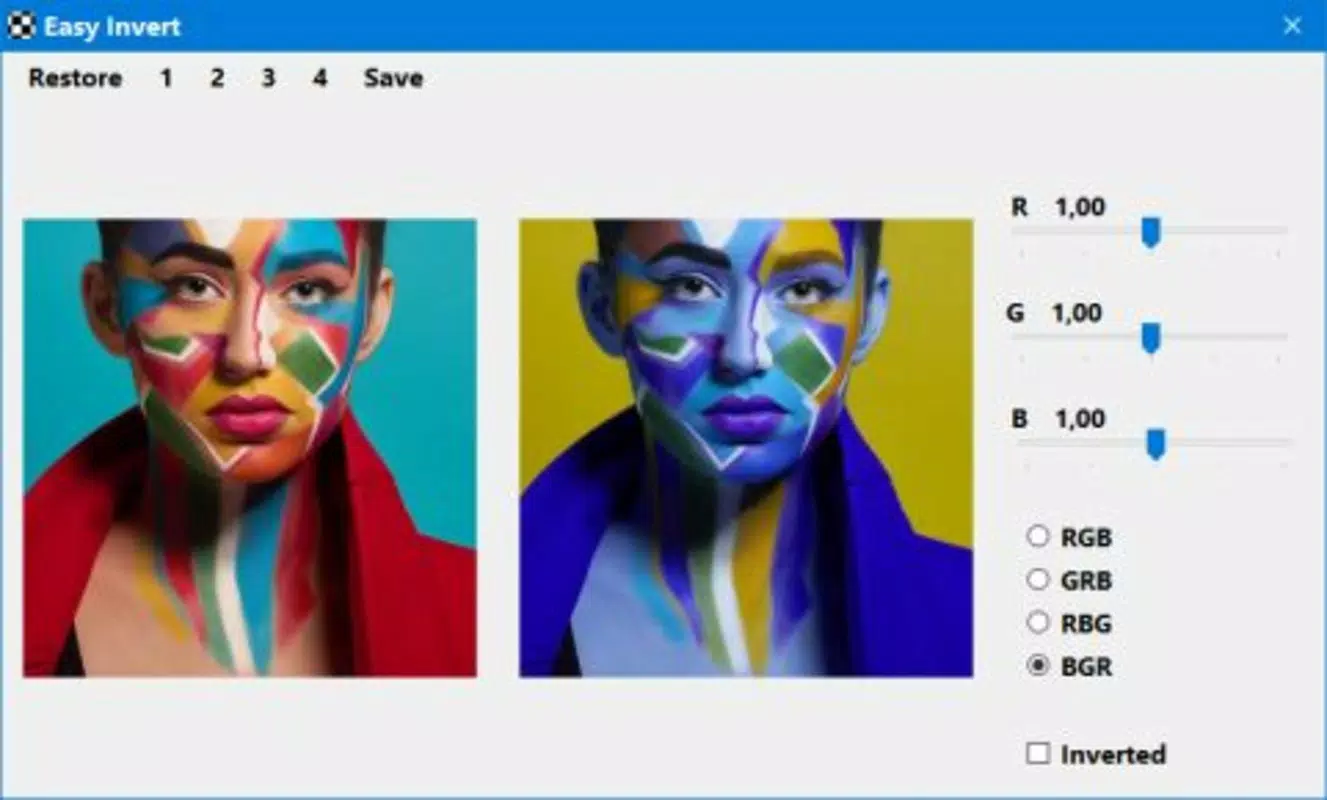
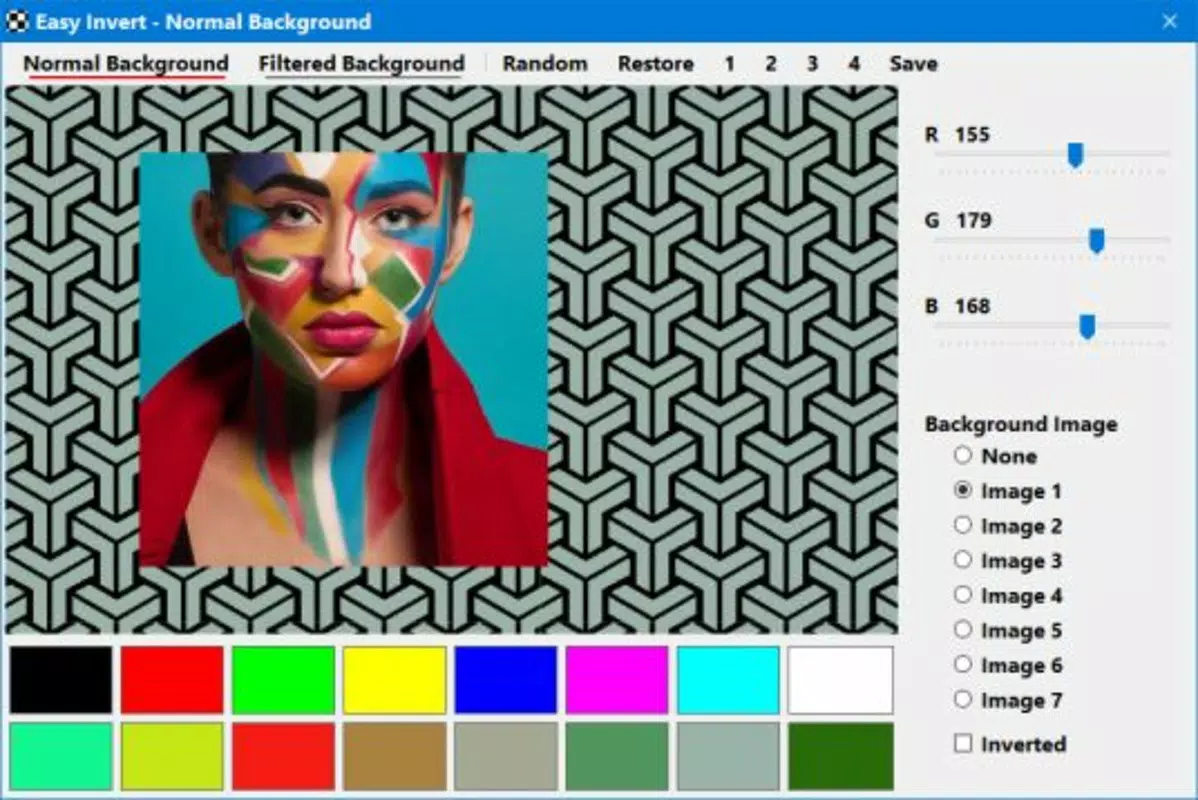
- Manual Editing Mode: The app includes a manual mode that allows fine-tuned adjustments to color profiles, similar to basic image editing tools. This gives users precise control over hue, saturation, and brightness, enabling them to create a personalized visual environment that matches their specific needs.
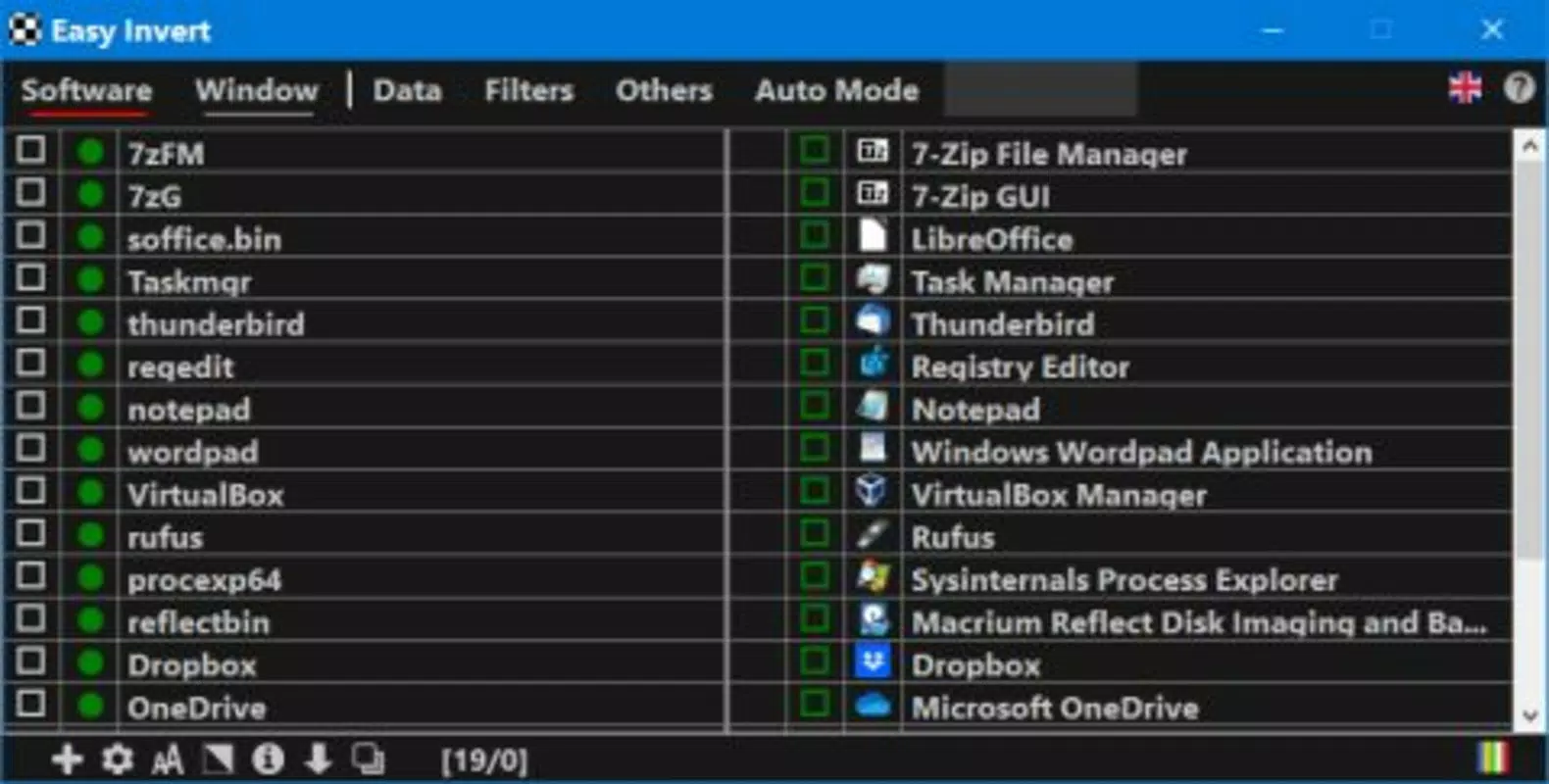
- Automatic Mode: When enabled, the app dynamically adjusts colors based on the active application or screen context. This adaptive behavior ensures optimal visibility without requiring constant manual intervention, ideal for users who switch between multiple apps throughout the day.
- Preset Filters: Easy Invert offers a selection of preconfigured filters designed to address common visual challenges. These presets serve as starting points for users who may not be familiar with color adjustment techniques, streamlining the process of finding a suitable setting.
- Shortcut Guide: A built-in guide helps users understand how to navigate the app’s interface and utilize its core functions. Although the learning curve may be present for first-time users, this resource provides essential support for effective adoption.
For example, a user with red-green color blindness might apply a preset filter to better differentiate between red and green elements in a navigation app. Another user experiencing eye strain could use the manual mode to reduce blue light and increase contrast, enhancing long-term screen comfort. These practical implementations demonstrate how Easy Invert delivers tangible value in everyday digital interactions.
Interface, UX & Performance
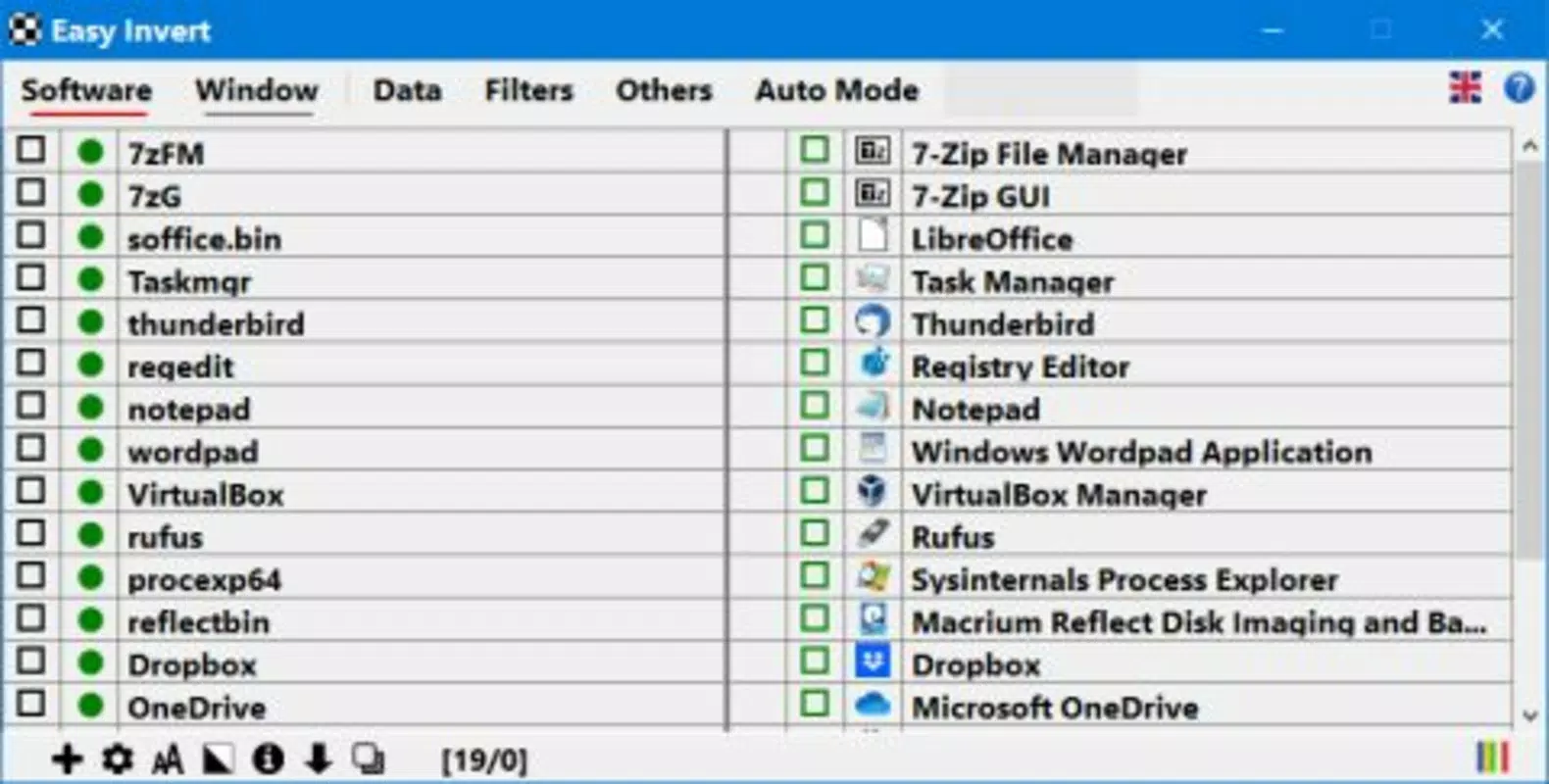
The user interface of Easy Invert is designed with functionality in mind, prioritizing accessibility and ease of use over aesthetic complexity. The layout is straightforward, with clearly labeled controls and intuitive placement of key features. While the app does not feature a highly polished visual design, its simplicity supports its core mission: enabling users to quickly access and apply color modifications.
Navigating between modes—such as manual, automatic, and preset filters—is consistent and predictable. The app maintains a logical flow, guiding users through the process of selecting and applying filters. Responsiveness is adequate for standard Android devices, with minimal lag during mode switching or color adjustments. Although the developer did not list formal performance metrics, the app’s lightweight size of 15.4 MB suggests efficient resource usage.
Stability appears to be a strength, with no reported issues related to crashes or unexpected behavior. The app functions reliably across different screen sizes and resolutions, ensuring consistent performance on various Android devices. Users may encounter a slight learning curve due to the non-standard nature of color inversion tools, but the inclusion of a shortcut guide helps mitigate this challenge. Overall, the user experience reflects a practical focus on utility over visual flair.
Platform Compatibility & Technical Requirements
Easy Invert is available exclusively on the Android platform, making it accessible to users of compatible Android devices. The app runs on Android OS versions compatible with the specified software version, 1.2.4. The file size is 15.4 MB, indicating a lightweight installation that does not consume significant storage space.
The developer did not specify minimum OS requirements or device compatibility details. As such, users should ensure their device meets general Android standards for app installation. Compatibility with specific screen resolutions, hardware accelerators, or accessibility services was not disclosed. However, the app’s design suggests broad compatibility with standard Android smartphones and tablets.
Given its free price point and minimal resource demands, Easy Invert is well-suited for a wide range of devices, including older models. This accessibility extends its reach to users who may not have access to the latest hardware but still require digital inclusivity tools.
Pros and Cons
Pros
- Free to download and use, reducing barriers to accessibility
- Lightweight size of 15.4 MB ensures minimal storage impact
- Offers both manual and automatic adjustment modes for flexibility
- Includes preset filters tailored to common visual impairments
- One-click functionality simplifies access to color inversion
Cons
- Developer did not provide detailed compatibility or system requirements
- Interface may have a learning curve for new users
- Specific performance metrics were not disclosed
- Only available on Android, limiting cross-platform access
- No information on update frequency or long-term maintenance
FAQ
Is Easy Invert safe to install on Android devices?
Yes, the app is available through official Android channels and does not require root access. As a free utility, it poses no known security risks when downloaded from trusted sources.
Can I use Easy Invert with other accessibility features?
Yes, the app is designed to work alongside standard Android accessibility tools. Users can combine its color inversion features with other system-level settings for enhanced usability.
Does Easy Invert require internet access?
No, the app functions entirely offline. All color adjustments and filters are processed locally on the device, ensuring privacy and consistent performance without a connection.
How often is Easy Invert updated?
The developer did not disclose update frequency. Users should check the app store for the latest version to ensure they have the most recent features and security patches.
Is Easy Invert available for iOS devices?
Currently, the app is only available on Android. There is no information indicating future iOS support.
Final Thoughts
Easy Invert stands out as a dedicated, no-frills solution for users seeking to improve their digital accessibility. Its core strength lies in delivering powerful color customization tools through a simple, functional interface. While it may not offer the sleek design of mainstream apps, its focus on utility and inclusivity makes it a valuable addition to the Android ecosystem.
Individuals with color blindness, visual fatigue, or low contrast sensitivity will find the app particularly beneficial. The combination of one-click changes, preset filters, and manual controls ensures that users of varying technical skill levels can benefit. Despite the absence of detailed technical specifications, the app’s lightweight nature and free availability enhance its appeal.
For those looking to make their smartphone experience more accessible, Easy Invert delivers a practical and effective tool. Download Easy Invert now


